Creating UTM tracking links: Complete guide for 2026


Table of Contents
- Key takeaways
- Why UTM tracking matters for marketers
- Understanding UTM parameters
- What a tracked URL looks like
- UTM tracking codes vs. event tracking
- How to create UTM codes
- Four ways to use UTM parameters in your campaigns
- UTM tracking in Google Analytics and other platforms
- Best practices for UTM tracking
- Own every click, prove every result
7,000+ agencies have ditched manual reports. You can too.
Free 14-Day TrialTable of Contents
- Key takeaways
- Why UTM tracking matters for marketers
- Understanding UTM parameters
- What a tracked URL looks like
- UTM tracking codes vs. event tracking
- How to create UTM codes
- Four ways to use UTM parameters in your campaigns
- UTM tracking in Google Analytics and other platforms
- Best practices for UTM tracking
- Own every click, prove every result
7,000+ agencies have ditched manual reports. You can too.
Free 14-Day TrialIf you’re running digital campaigns without UTM tracking, you’re guessing. You might see a spike in traffic but have no idea which campaign delivered results, especially within paid search analytics. That kind of uncertainty costs agencies time, money, and client confidence.
UTM tracking gives you answers. It shows where your traffic is coming from, which channels are performing, and what’s driving real results. With just a few extra parameters on your URLs, you move from assumptions to proof, and that proof helps you make smarter decisions and deliver stronger reports. On a client call, you can show which exact tweets, emails, or guest posts generated leads—and which ones failed.
This guide covers everything you need to know about UTM tracking, how it works, and how to build tracking links that help your clients and agency grow.
Key takeaways
UTM tracking adds up to five parameters—source, medium, campaign, term, and content—to a URL so your analytics platform can attribute every visit to a specific campaign.
UTM codes tell you where a visitor came from; event tracking tells you what they did after landing. Used together, they cover the full journey from traffic origin to site engagement.
Build tracked links manually or with Google’s free Campaign URL Builder, then use a shortener like Bitly or Rebrandly to keep them shareable—the parameters stay intact.
Agree a naming convention before launch: lowercase, no spaces, consistent terms. Even a capitalization difference like “facebook” vs. “Facebook” splits one campaign into two in your reports.
Tag external links only—internal links skew attribution—and platforms like GA4 and AgencyAnalytics turn your tagged URLs into campaign reports with no extra setup.
Why UTM tracking matters for marketers
Every campaign you run has a goal: clicks, conversions, revenue, something measurable. But without UTM tracking, your performance data is incomplete. You can’t prove which campaigns worked. You can’t see where to optimize. And you can’t confidently explain results to your clients.
UTM tracking fixes that. The code serves one purpose: to help your analytics tool track the source of your visitor. It helps attribute performance to specific channels, campaigns, or even individual ads and emails. If you’ve ever struggled with marketing attribution, UTM codes will come in extremely handy. They also separate referral traffic from direct visits, helping you and your clients evaluate partnerships and backlinks more clearly.
That level of visibility helps you:
Double down on what’s working.
Cut what’s not.
Build more transparent client reports.
Prove ROI and strategy value.
It’s also a key part of multi-channel marketing. Your client’s audience sees its brand in different places—social, email, ads, and referrals. UTM codes show which touchpoints lead to action, which sharpens both your strategy and your reporting.
For agencies, the payoff is direct: URL tracking measures performance across a client’s marketing channels, giving you visibility into which one is driving the most engagement or conversions. Once you have this data in hand, you’ll be able to optimize each marketing campaign, email, and paid search ad in real time—and provide quick, accurate reports that show clients exactly where their budget is going and how much ROI they’re getting.
Build professional client reports in just 11 seconds with AgencyAnalytics. Sign up for a free 14-day trial to explore our Smart Reports feature with full white labeling capabilities.
Understanding UTM parameters
UTM stands for Urchin Tracking Module, a naming convention developed initially by the creators of the Urchin Traffic Monitor, which eventually became Google Analytics.
UTM tracking works by adding a few extra details—called UTM parameters—to the end of a URL. These campaign parameters tell your analytics platform exactly where visitors came from and what brought them there. When you add multiple UTM parameters to a link, you create a digital trail that ties each click to a specific campaign moment.
There are five UTM parameters to know. The first three (source, medium, campaign) are the most used, but each one adds a layer of insight—you don’t need all five every time.
1. Source (utm_source)
Use the source parameter to track *where* the traffic originated—who sent it your way. Traffic sources could be Facebook, Google, Bing, or the name of an email list. This should be the main traffic source, not a specific social media post (more on that below). The parameter is utm_source.
Example: &utm_source=twitter
2. Medium (utm_medium)
The medium parameter tracks the *type* of traffic the visitor originated from—CPC, email, social, referral, display, etc. These tags help differentiate between paid social media ads and organic social media traffic based on viral Instagram posts, for example. The parameter is utm_medium.
Example: &utm_medium=cpc
3. Campaign (utm_campaign)
The campaign parameter tracks the performance of a *specific campaign*—use it to differentiate traffic between different Facebook Ad campaigns, Google Ads campaigns, or email campaigns. Name the initiative: product_launch, webinar_march, or referral_program. (See more on naming conventions below.) The parameter is utm_campaign.
Example: &utm_campaign=example-campaign
4. Content (utm_content)
If you have multiple links pointing to the same URL—such as an email with two CTA buttons or various social media links—use utm_content to track which link was clicked. It’s also helpful for testing different CTAs or creatives.
Example: &utm_content=navlink
You can also use these tags to track the effectiveness of your agency’s YouTube SEO processes by including the name or ID of the YouTube video that drove the click. The same applies to tracking influencer marketing results; whatever details are needed to track the source, campaign, or medium can be added to a UTM tracking parameter.
5. Term (utm_term)
The keyword parameter, utm_term, tracks which keyword term a website visitor came from. This parameter is specifically used for paid search ads.
Example: &utm_term=growth+hacking+tactics
What a tracked URL looks like
When you set up a URL with UTM codes (making the link trackable through Google Analytics), the URL is going to look longer and more complex—something like this:
http://your-website.com/your-post-title/?utm_source=google
Here, you see the traffic source parameter after the question mark (utm_source) and what the source is (Google).
Take a look at this in practice with an example from a Copyhackers email.

The CTA in the email links to Maddy’s Calendly for subscribers to schedule a call about Jo’s coaching programs. The normal Calendly link would look like this:
https://calendly.com/maddy-copyhackers/15min?month=2024-08
The tracked page, however, looks like this:

Here, you can see that:
The source = ActiveCampaign
The medium = email
The content = “Maddy here from Team Copyhackers…”
Or take this example from Urban Outfitters, where a recent email campaign advertised women’s oversized clothing.

The CTA link in the email took customers to UO’s women’s clothing page on its website. See how the link includes multiple UTM parameters, including:
Utm_source
Utm_medium
Utm_campaign
Utm_content
It’s quite a difference from the “normal” link to the Urban Outfitters women’s clothing page (https://www.urbanoutfitters.com/womens-clothing)—and it gives the UO marketers a lot of highly specific details about who is interacting with their website and how.

UTM tracking codes vs. event tracking
It’s easy to confuse UTM tracking codes and event tracking—they both give you insight into how people engage with your site, but they serve different roles.
UTM tracking explains where the traffic originated. It answers the question: *Where did this visitor come from?* You’ll use it to track traffic sources, such as a social media marketing campaign, email marketing campaign, or paid ads. These codes are tied to your URLs and work best for campaign tracking and understanding how visitors arrive on your site.
Event tracking, on the other hand, looks at what happens *after* visitors land. It tracks specific user behavior on your site—like clicking a video, downloading a guide, or submitting a form—that happens beyond the landing page.
So if you’re running digital marketing campaigns, here’s how the two work together:
UTM codes tell you how someone got to the landing page URL.
Event tracking tells you what they did next.
Let’s say you’re sending traffic to a blog post from Instagram. You’d use a UTM URL with clear campaign parameters like utm_source=instagram&utm_medium=social&utm_campaign=product_launch
That UTM link tells you how people landed on the page. If you’re tracking clicks on a CTA button, event tracking shows what percentage took the next step.
Used together, these tools paint a full picture, from traffic origin to site engagement.
How to create UTM codes
Creating UTM codes is simple, but it requires some strategy. To create UTM links that are accurate and consistent, start with a naming convention everyone on your team follows.
There are a few different ways to build UTM tracking links: use a generator tool, create them manually, or set them up directly inside platforms like Google Analytics.
Using a UTM builder or generator tool
The easiest way to start building UTM codes is with a tool like Google’s free Campaign URL Builder. These tools give you a form to fill out—campaign source, campaign medium, campaign name, and so on—and automatically generate the full tracking link.

To use it, first enter the mandatory fields: your client’s website URL, campaign source, and campaign medium (the other fields are optional).

After entering your desired parameters, scroll down to see the URL, then copy and share it. (You can also shorten the URL from there, but you’ll need to log into Bitly to do this.)

Some platforms, like HubSpot, even have built-in URL builders to speed things up. They’re great for consistency, especially when you’re managing multiple campaigns or need to track UTMs across a team.
If you’re working with a team, always align on a naming system first—it’s one of the best ways to prevent chaos in your tracking data. For large campaigns, adding a campaign ID can help organize your UTM data at scale.
Agency Advice: Use a shared spreadsheet to track UTM values across teams and campaigns. It’s how you avoid duplicates, missed tags, and junk data.
Manual UTM tagging
You can also add UTM parameters directly to your website URL—although keep in mind, this method is more prone to error. The first UTM parameter begins with a question mark (?), followed by the parameter name and value. Here’s the structure:
yourwebsite.com/page?utm_source=source&utm_medium=medium&utm_campaign=campaign
Need to go deeper? Just tack on additional UTM tracking parameters using an &. That’s how you handle multiple parameters like utm_term and utm_content.
For example, a URL for a client’s PPC campaign tracking might look something like this:
https://www.clientwebsite.com?utm_source=google&utm_medium=cpc&utm_campaign=spring_sale
Everything from the question mark on is something you added directly to the URL. This URL tells your agency that all of its traffic originated from a Google PPC ad as part of the spring sale campaign.
You can use the codes in any combination. A simple URL might track just one campaign:
yoursite.com/your-page/?utm_campaign=spring-sale
By adding the utm_campaign parameter, you can track the performance of your client’s “Spring Sale” email campaign in Google Analytics. If you run a Spring Sale every year, add the year to the parameter (e.g. utm_campaign=spring-sale-2022) to differentiate each year’s campaign. Want to know how many sales were generated from an email campaign? UTM links are your answer.
Or you might build a more complex code that tracks source, medium, campaign name, and content together:
yoursite.com/your-page/?utm_source=facebook&utm_medium=cpc&utm_campaign=springsale&utm_content=shoead
Let’s say you’re linking to a guide in your May newsletter. Your full UTM URL might look like this:
agencyclient.com/guide?utm_source=newsletter&utm_medium=email&utm_campaign=may_launch
Or if it’s for a discount campaign, your tracking URL would look like this:
agencyclient.com/page?utm_source=newsletter&utm_medium=email&utm_campaign=discount_campaign_2025
If promoting the same URL across channels, vary your UTM tags to keep reporting clean and segmented. Even if you’re linking to the same web page, separate tags help you track each campaign accurately.
Before you hit send, double-check two things:
The landing page URL works.
Your UTM codes are formatted cleanly (lowercase, no spaces, consistent naming).
Ensure you add UTM codes to your homepage URL for more accurate tracking in Google Analytics and GA4.
Ross Taylor, President, Alameda Internet Marketing
Use link shorteners for user-friendly URLs
The complexity of a UTM code is directly related to its length. As you start running more sophisticated campaigns, your URLs will become longer and longer. Long URLs look cumbersome, confusing, and unprofessional, especially when they’re shared on social media or in marketing emails.
The solution: link shorteners.

A tool like Bitly or Rebrandly will turn lengthy links into more shareable URLs—and the shortened link still keeps the UTM parameters intact. For example:
https://agencyanalytics.com/?utm_source=newsletter&utm_medium=email&utm_campaign=template_promo
A free URL shortener like Bitly turns this into:
http://bit.ly/3M53vCH
This URL still tracks the necessary parameters (source, medium, campaign) while being more user-friendly. This is especially helpful for social media posts.
Four ways to use UTM parameters in your campaigns
You now know what UTM parameters are, what they track, and how to create them. The most important question still remains: how should you *actually* use UTM codes to track your marketing campaigns? There are four main plays.
1. Know where your traffic is coming from
The top reason to use UTM parameters is to know exactly where website traffic comes from. You can accomplish this using the campaign, source, and medium parameters.
Google Analytics displays default channel groupings in its interface, making it easy to track UTM links. However, using UTM codes allows you to track sources more precisely. UTM parameters are especially helpful in understanding referral and direct traffic in Google Analytics.
In Google Analytics, navigate to Acquisition → All Traffic → Referrals to see which sites generated traffic.

In this sample account, you can see referral traffic from Quora.com. But what if you wrote 10 posts on Quora and wanted to know which post generated traffic? By adding &utm_campaign=name-of-post UTM parameters to the end of your link on Quora, you can see in Google Analytics which posts generated traffic.
Direct Traffic is often another mysterious traffic source in Google Analytics. It primarily includes visitors who type your URL directly into their browser or bookmark your page. However, direct traffic *also* includes visitors who click links in emails, ebooks, and other offline marketing materials.
Add UTM links that specify the source of traffic that would otherwise be categorized as “direct.” For example, if you write an ebook that includes links to a client’s website, add UTM parameters to those links like the following:
mywebsite.com?utm_source=ebooks&utm_campaign=agency_playbook
In Google Analytics, you can filter traffic by source to understand how your ebook generated traffic and new leads.
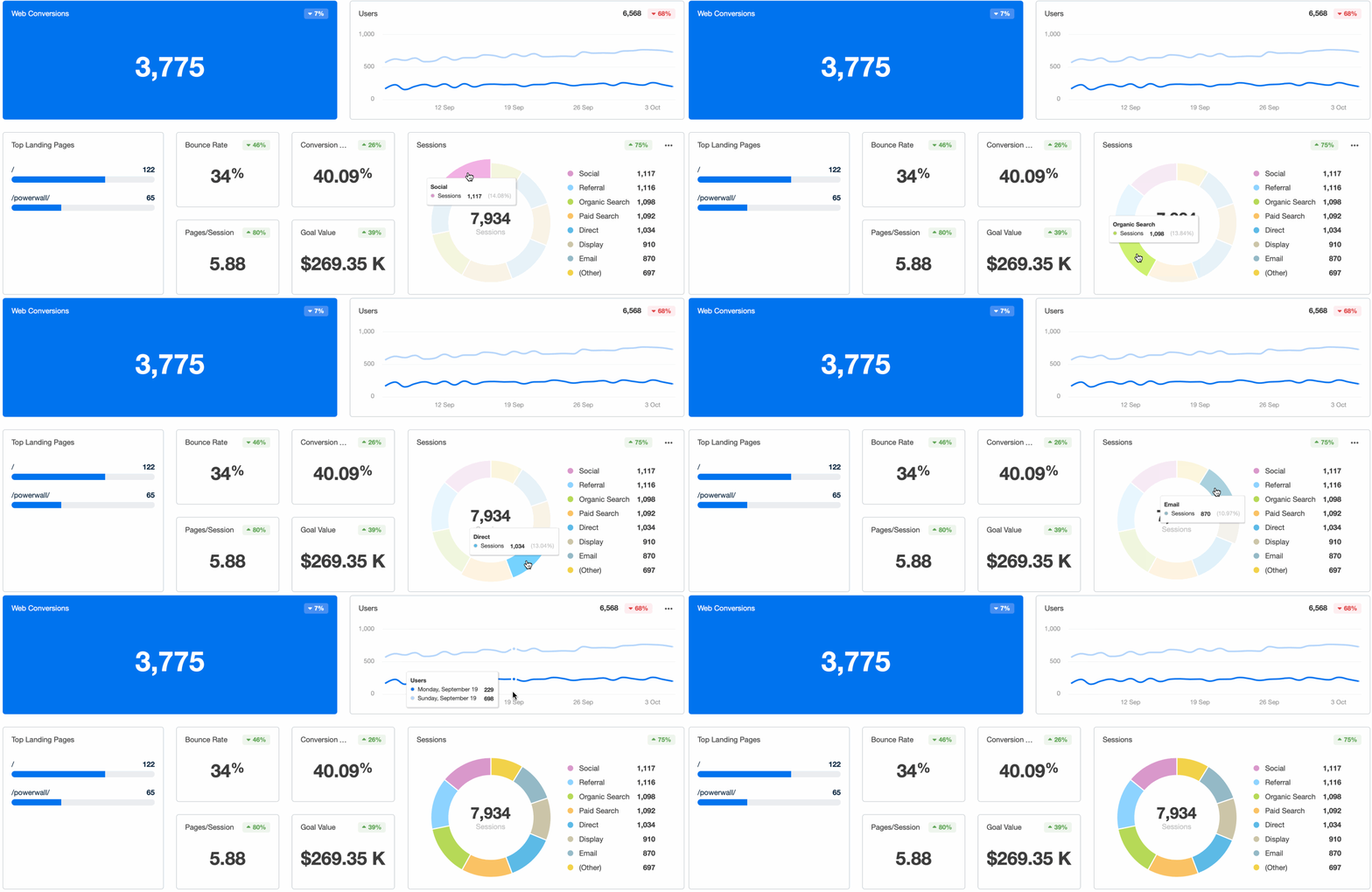
Use the Google Analytics dashboard template in AgencyAnalytics to see your referral traffic in an intuitive way.
2. Know which links people are clicking in a campaign
Suppose you run a newsletter for your client. Every week, you send out half a dozen links to interesting stories from around the web. In between, you also include a couple of CTAs directing to your client’s site.
You probably already know the newsletter open and click rates. But do you know which links in the newsletter get the most clicks and which get ignored?
This is another situation where UTM parameters come in handy. By adding the utm_content parameter to different links in the newsletter, you can track the number of clicks they receive.
A shopping newsletter might have two separate UTM tags for *shoes* and *jackets*, like this:
utm_source=mailchimp&utm_campaign=newsletter1&utm_content=shoesutm_source=mailchimp&utm_campaign=newsletter1&utm_content=jackets
Now, when you log into Google and go to Acquisition → Overview → Campaigns → All Campaigns, you’ll be able to see which link in the “Newsletter1” campaign drove more traffic.
There are countless ways to use this UTM parameter. You might create separate utm_content codes for individual banners in a banner ad campaign, or add a custom code to an email signature link to track its total clicks.
3. Group traffic by medium
Suppose you’re running a social media marketing campaign for a client. As part of marketing activities, you share content on popular social networks, such as Facebook, Twitter, Instagram, TikTok, etc. These networks show up under the “Social” channel in Google Analytics.
However, what if you promoted the content on a social media platform Google doesn’t recognize as “social” in GA, such as imgur.com?

In such a case, you’d have no way to show social marketing results. This is where utm_medium earns its keep. By adding utm_medium=social to all links you share on any social channel, you use UTM parameters to track your performance across all social networks.
The utm_medium parameter is handy for conducting a macro-level traffic pattern analysis. To measure traffic over time, you can group all links into a few broad mediums—social, CPC, search, email, referral, etc.
It’s especially helpful for differentiating paid traffic. All Facebook traffic will appear as “social” by default in Google Analytics. If you’re running paid campaigns in Facebook Ads, you don’t want that traffic grouped with organic social traffic! By adding utm_medium=cpc or utm_medium=cpm to Facebook Ads URLs, you can group all paid traffic into one report.

4. Track traffic for different campaigns
If your client launches a new product, can you tell with certainty that the traffic came from the launch campaign? How many of their holiday marketing campaigns led to successful conversions?
Tracking these metrics is one of the hardest things for marketers. Basic GA data makes it next to impossible to figure out which marketing campaigns are driving current results.
The *utm_campaign* parameter solves this problem. For instance, if your client was running a new 20% off discount campaign, you could organize all their links like this:
utm_campaign=20off&utm_source=facebookutm_campaign=20off&utm_source=googleplus&utm_content=first-link
Here’s another example: suppose you wanted to track marketing performance for different customer personas. You could organize all personas into different campaigns like this:
utm_campaign=persona1utm_campaign=persona2
These are just some ways to use utm_campaign. As an agency marketer, you’ll find this parameter indispensable.
UTM tracking in Google Analytics and other platforms
Once you’ve added UTM parameters to your links, your analytics tools take care of the rest. Whether using GA4, HubSpot, or a reporting platform like AgencyAnalytics, those UTM URLs feed valuable insights into your reports—no extra setup required.
In Google Analytics (GA4)
GA4 automatically attributes UTM values and helps you understand where traffic originated. You can also use filters to measure which Google Ads campaign delivered the most conversions.
In GA4, you’ll find UTM data in the Traffic Acquisition and User Acquisition reports. These reports automatically sort by campaign source, campaign medium, and campaign name, giving you a clear view of where your web traffic is coming from.

To track the performance of your UTM codes, navigate to the “Acquisition” report, then select “Traffic acquisition.” This report showcases user engagement metrics by source, medium, and campaign—the core UTM parameters. Simply select the details you want in the drop-down menu to pick by source, medium, or campaign.

Want to track the performance of a specific campaign, like a spring sales push? Filter by campaign. Need to break down your email marketing campaign traffic? Filter by medium. Google Analytics turns your tagged URLs into filters that let you dissect your GA4 metrics any way you need.
You’ll also have access to custom explorations that combine UTM values with conversions, events, or customer journey mapping for deeper insights. Note that GA’s shift towards event-based modeling offers a more granular view of user interactions, so adjust your filter settings accordingly.
In other platforms
Most website traffic tracking tools support UTM tracking. HubSpot, Adobe Analytics, and AgencyAnalytics all capture and report on UTM data, as long as your links are tagged properly.
Whatever platform you’re using, make sure your links stay intact. If your UTM codes get stripped—especially common in social ads or email builders—you lose the ability to track performance. That traffic ends up in the direct traffic bucket, leaving gaps in your data tracking.
Double-check your links before launch. For high-volume or multi-channel campaigns, this step keeps your reports clean and your data accurate.
Tracking UTM performance in AgencyAnalytics
AgencyAnalytics pulls UTM data from connected platforms and displays it in client-ready dashboards, so you always know which campaigns drive performance. Layer PPC report automation on top to schedule those insights to clients. No digging. No second-guessing. Just precise, centralized campaign tracking that ties directly into your client reporting.
It’s easy to handle URL tracking for your clients within an AgencyAnalytics dashboard. First, use the Google Analytics Campaign URL Builder to create your URL with tracking parameters, as walked through above. Then, use the Google Analytics integration to report on URL performance.
This integration pulls all of your clients’ Google Analytics information into one place. There’s no need to manually log into their accounts to pull data—the collection process is automated, with a customizable Google Analytics dashboard that populates with live data. From there, turn it into white labeled client reports with just a few clicks.
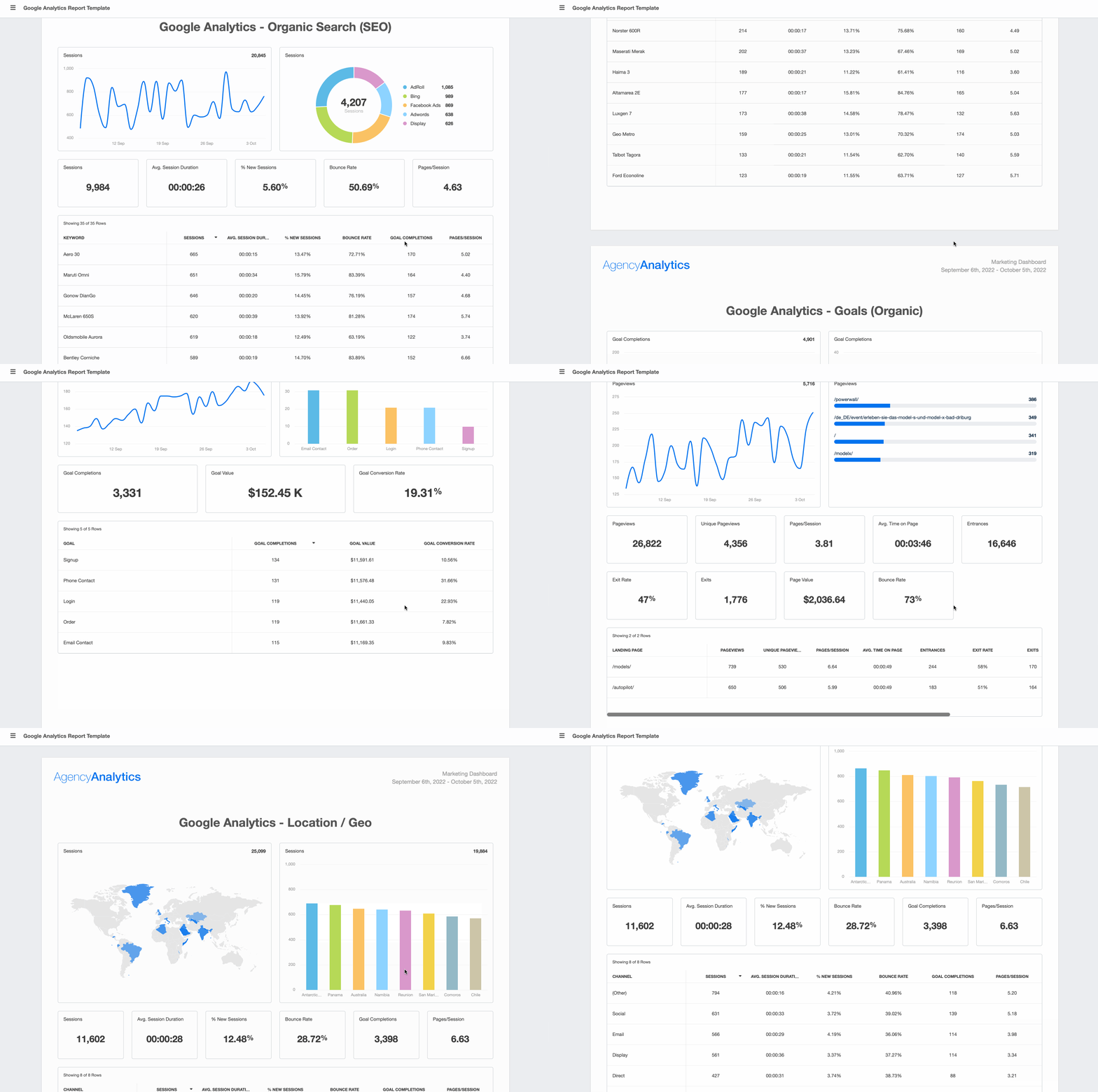
Use this exact Google Analytics report template to automatically populate your clients’ latest data. Try AgencyAnalytics free for 14 days and automate your client reporting in minutes.
Best practices for UTM tracking
A strong UTM system makes campaign data easier to understand, easier to present, and easier to act on. These practices create consistency and simplify reporting, so agency teams get more room to focus on results.
1. Use UTM codes for external links
UTM tracking works best when it’s used to label traffic coming from outside your client’s site. That includes channels like social media, email, paid search, and referral partnerships.
By tagging these links, you’re giving the analytics platform a clear view of where the traffic came from and how it ties back to your campaigns.
(Note: Don’t tag internal links on your website—it confuses source data and skews marketing attribution.)
Example: Your client has a product page linked in their Instagram bio. Add UTM parameters like utm_source=instagram&utm_medium=social&utm_campaign=spring_launch. When someone clicks, you’ll know exactly what drove that visit—and see it clearly in your campaign performance reports or live campaign performance dashboard.
Email often is about driving traffic to other brand destinations. You may promote content or products on your website or social profiles for example. As such, having email metrics integrated into other metrics such as your website are hugely helpful. Using UTM codes in your links is a helpful way to make a connection between emails and other target destinations.
Seth Giammanco, Principal, Strategy and Technology, Minds On Design Lab
2. Establish a naming convention from the start
UTM parameters work like labels in the analytics platform. The cleaner they are, the easier your reports are to read and act on. Stick with lowercase, avoid punctuation, and use consistent formats across your team. Label each campaign uniquely, even when running the same ad across platforms.
It’s important to establish naming conventions the entire team will use. If half the people are using “facebook.com,” and the other half are using “facebook” under “utm_source,” you’ll just get muddy data.
Before you start a campaign, agree on naming conventions for common parameters. This should include the names for different mediums (“social” vs. “social media,” “search” vs. “paid search,” etc.) and traffic sources (“facebook” vs. “facebook.com” or “reddit” vs. “reddit.com”). Even capitalizations or spaces will mess up analytics by splitting the same campaigns into two. Set up rules from the beginning:
Will you use underscores or dashes in a campaign name?
Will all links use only lowercase?
Generally, it’s best practice to use all lowercase in your UTM tracking links.
Example: Your client is promoting a seasonal offer. A clean, consistent tag might look like utm_campaign=spring_sale_2025. It’s specific, short, and instantly recognizable in a dashboard or spreadsheet. It also helps when comparing campaign results month to month or year over year. Add specific identifiers to distinguish between campaigns: if your agency runs a campaign for a restaurant chain, you might use utm_campaign=happyhour_promo and utm_source=menu_qr_code for links accessed via QR codes on physical menus. For a multi-city campaign, consider utm_campaign=nyc_launch and utm_campaign=la_launch to distinguish between regional efforts.
3. Use easy-to-understand names
The UTM parameters for your client campaign, content, and source links should be easy to understand. Anyone looking at the code should be able to figure out what it means at a glance.
For instance, here is a UTM tracking code used by Inbound.org:
https://inbound.org/article/is-linkedin-killing-slideshare?utm_medium=paid&utm_campaign=facebook-worldwide-loggedinusers30days-np-allseg&utm_source=facebook.com&utm_term=linkedin
Based on the campaign name alone, you can see that it targets worldwide Facebook users who have been logged in during the past 30 days. Anyone can understand this UTM code even if they have no idea what’s going on behind the scenes.
In contrast, consider this UTM code:
https://www.goibibo.com/offers/?utm_source=Mailers&utm_medium=_ret_harvest_130117&utm_term=ret_harvest_130117&utm_campaign=_ret_harvest_130117
Not only does this code use the same name for multiple parameters (term, medium, and campaign), but the name itself is nonsensical. Without context, it is impossible to understand what this code is actually tracking. Sure, you can create a naming convention that associates a campaign with a numerical code. But you’re making analysis a lot more difficult by not creating an easy-to-understand name.
4. Think about how reports will look later
When you tag a link, you decide how it shows up in your analytics. Tags that are specific and descriptive make reports easier to explain in client meetings and internal reviews.
Choose terms that clearly identify the campaign, source, and medium so you can confidently break down performance. Want to see how much traffic an Instagram Story drove? Tag the link and filter by source later.
Example: Your client is working with three influencers this quarter. Instead of using the same campaign tag for each, try utm_campaign=influencer_sara_q2, utm_campaign=influencer_drew_q2, and utm_campaign=influencer_nia_q2. This way, each campaign has its own line in the report, and they easily see who delivers the strongest results.
5. Keep a record of your tracking codes
Don’t let your tracking URLs fall through the cracks—each unique tracking code needs to be tracked, too.
If you’re managing multiple campaigns, you might have a clutter of tracking URLs, which becomes even more of a problem when you’re juggling several clients who have multiple campaigns each.
Use a spreadsheet or a URL management tool to keep track of all the codes your agency uses. This prevents you from accidentally reusing UTM parameters. It also ensures your data remains clean and organized, and allows for easy reference when analyzing past client campaigns.

Track high level results for your entire client roster with AgencyAnalytics! Leverage multi-client dashboards to maintain a bird’s eye view on performance–sign up for a free 14-day trial today.
6. Check UTM tracking regularly
Even with a sound system, minor issues can slip in over time. Reviewing campaign tags weekly or biweekly keeps everything organized and helps catch typos, inconsistent naming, or duplicate entries early. That saves time when it comes to reporting and keeps data accurate.
Example: For social campaigns, make sure your client’s social media platform is clearly labeled in utm_source. You may notice traffic from Facebook showing up under both utm_source=facebook and utm_source=Facebook. That’s an easy fix—but only if you catch it early. A quick scan of the source and medium reports ensures your data stays clean and easy to explain.
Own every click, prove every result
Every campaign link is an opportunity to capture insight. With UTM tracking in place, that insight becomes instant. Each click tells you which content is performing, which audience is engaging, and which strategy delivers results.
That level of clarity matters, especially when your clients expect more than just traffic numbers. UTM data shows exactly how each campaign contributes to outcomes. It connects daily marketing activity with measurable client value.
When you bring that data into a platform like AgencyAnalytics, you get centralized, client-ready reporting that makes campaign performance easy to present and act on. No guesswork. No piecing together reports from scratch—just clean, complete visibility into what’s working.
UTM tracking sets a strong foundation for scale. With the right system in place, you spend less time wrangling data and more time driving strategy. Your team moves faster, your insights get sharper, and the results follow.
Start building better reports—track every click and prove every result with AgencyAnalytics. Try it free for 14 days today!
Impress clients and save hours with custom, automated reporting.
Join 7,000+ agencies that create reports in under 30 minutes per client using AgencyAnalytics. Get started for free. No credit card required.

Already have an account?
Log inFrancois Marchand brings more than 20 years of experience in marketing, journalism, content production, and artificial intelligence. His goal is to equip agency leaders with innovative strategies and actionable advice to succeed in digital marketing, SaaS, and ecommerce.
Read more posts by Francois MarchandWhat other agency experts are reading

The 17 Most Important PPC Metrics To Track on Every Campaign
Paid search marketers have multiple objectives: drive brand awareness, drive website traffic, and drive sales. However, to achieve these objectives, it’s important to track specific metrics that matter most for your PPC campaign success. Here are key PPC metrics every agency should be tracking.

Web analytics reports: Types, metrics, examples & templates for agencies
Learn about the 7 most important web analytics reports, which metrics to track, and how agencies build faster, client-ready reports with templates and examples.

PPC client report guide: How to create client PPC reports that prove ROI
Learn how to create a PPC client report that shows ROI, highlights key metrics, and helps agencies retain clients with clear, automated reporting.